Obtaining iOS Filing Information
{primary} The MIIT APP filing policy has been implemented as of September 1, 2023. We suggest completing the filing as soon as possible.
This guide outlines the procedure for retrieving essential iOS application identifiers, specifically the Bundle ID, Public Key Modulus, and SHA-1 Fingerprint. These credentials are mandatory requirements for MIIT App Filing and identity verification in China.
- Locate the Bundle ID
- Extract Public Key and SHA-1 Fingerprint
- Compliance Notes & Best Practices
- Contact Us
Locate the Bundle ID
The Bundle ID serves as the unique identity for your app within the Apple ecosystem.
Steps:
-
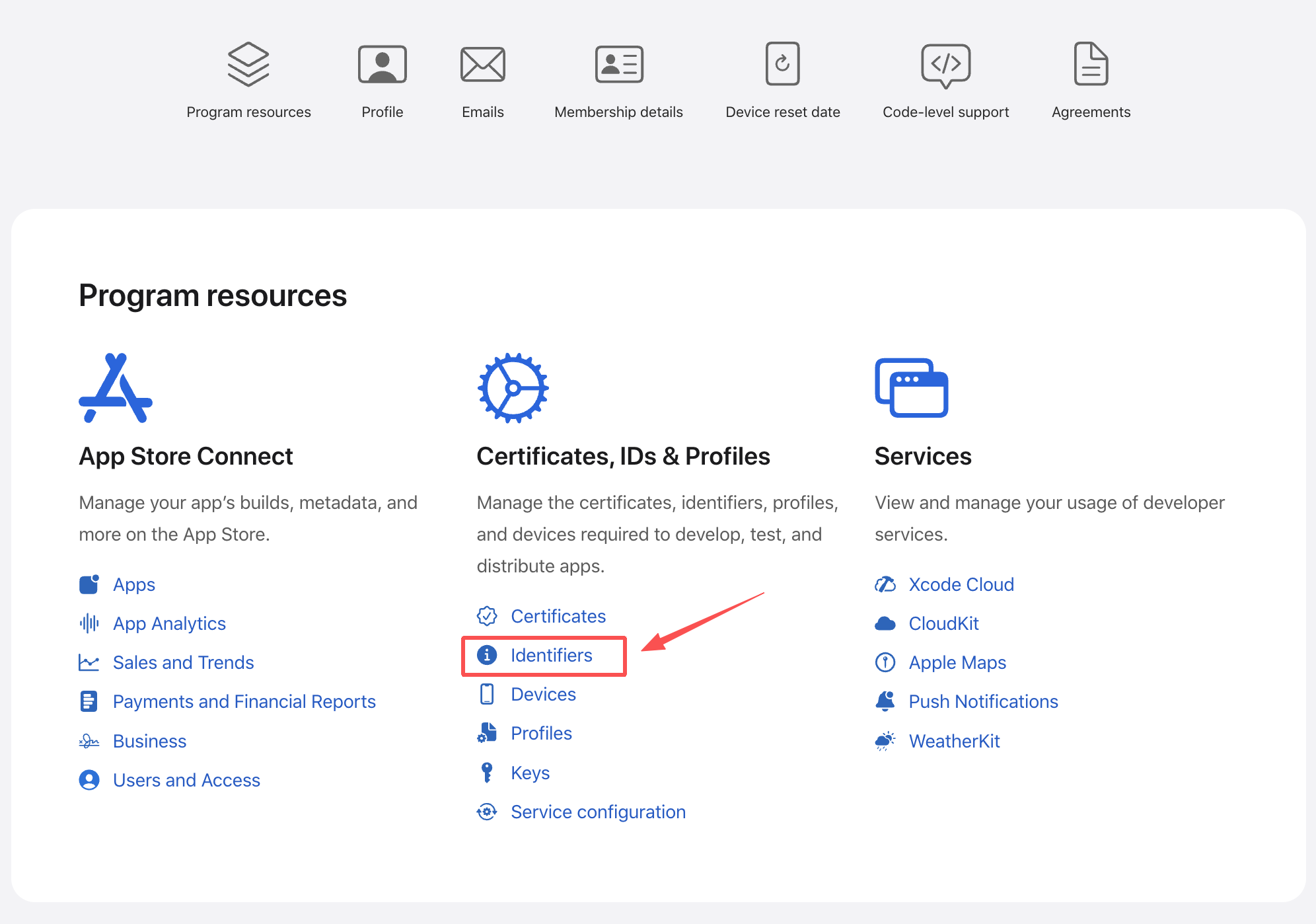
Log in to App Store Connect, then go to Certificates, Identifiers & Profiles and open the Identifiers section.
-
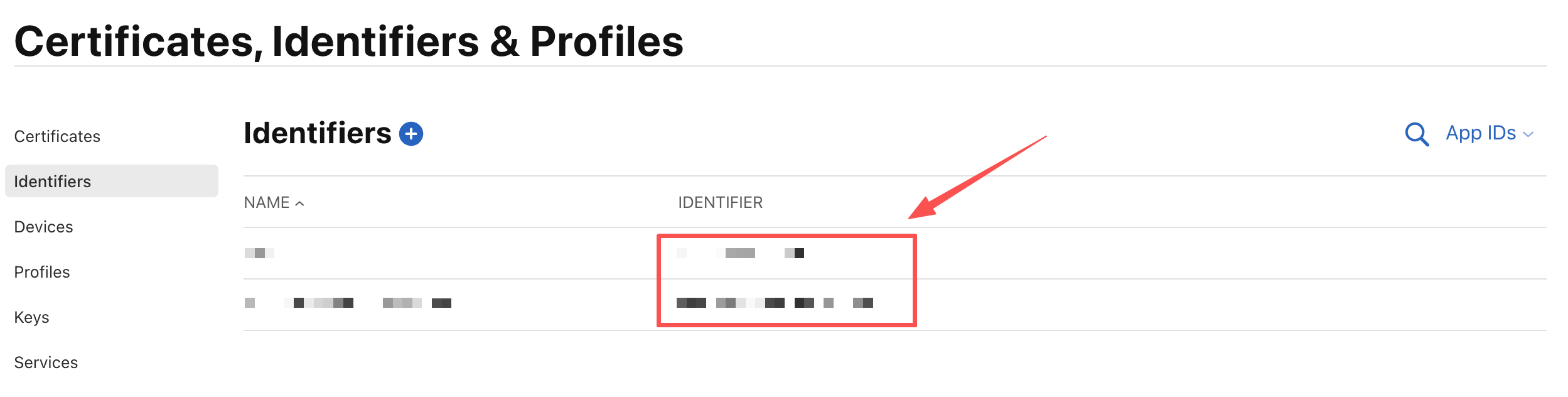
The value in the IDENTIFIER column corresponds to your app’s Bundle ID.
Extract Public Key and SHA-1 Fingerprint
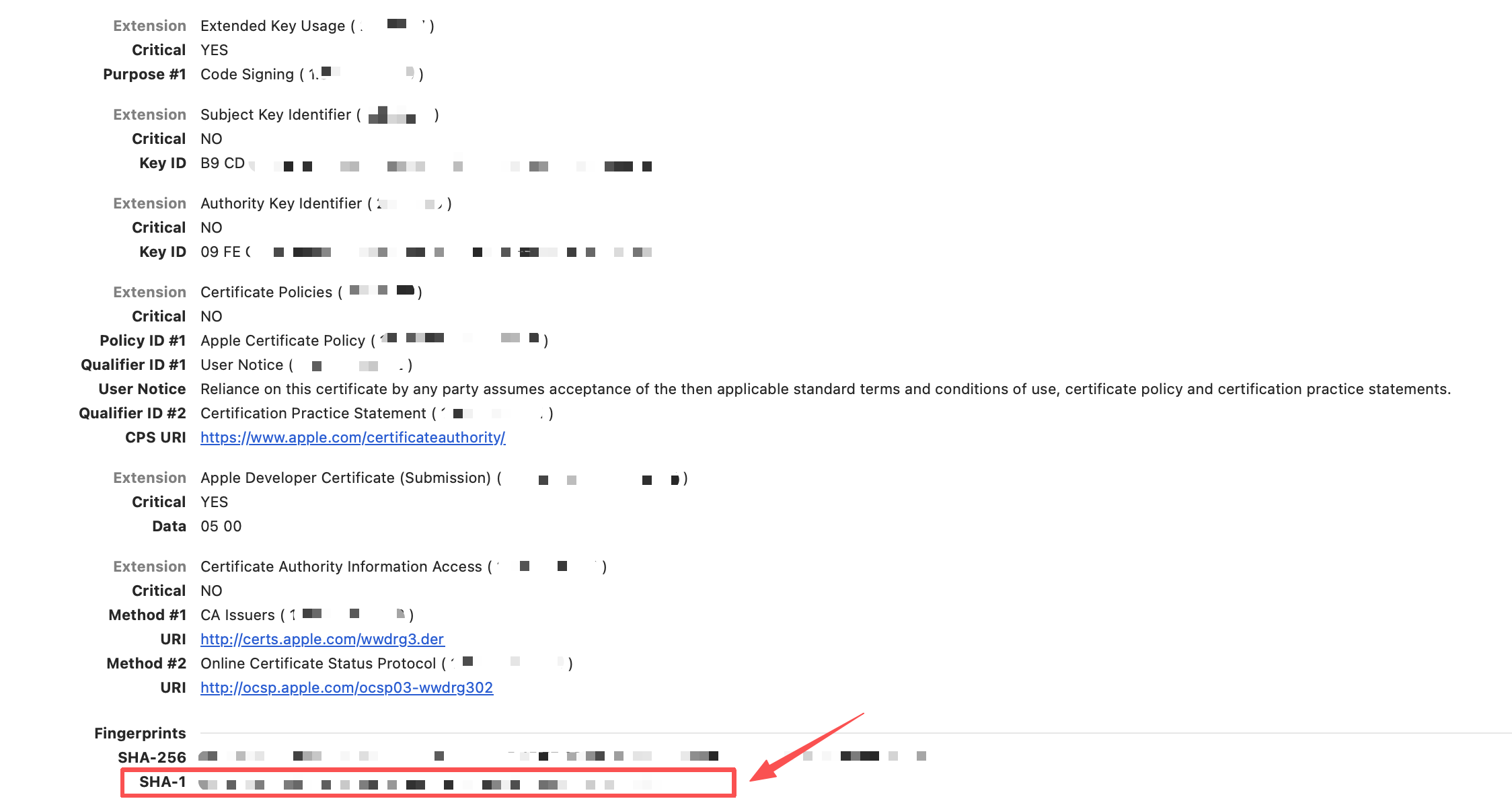
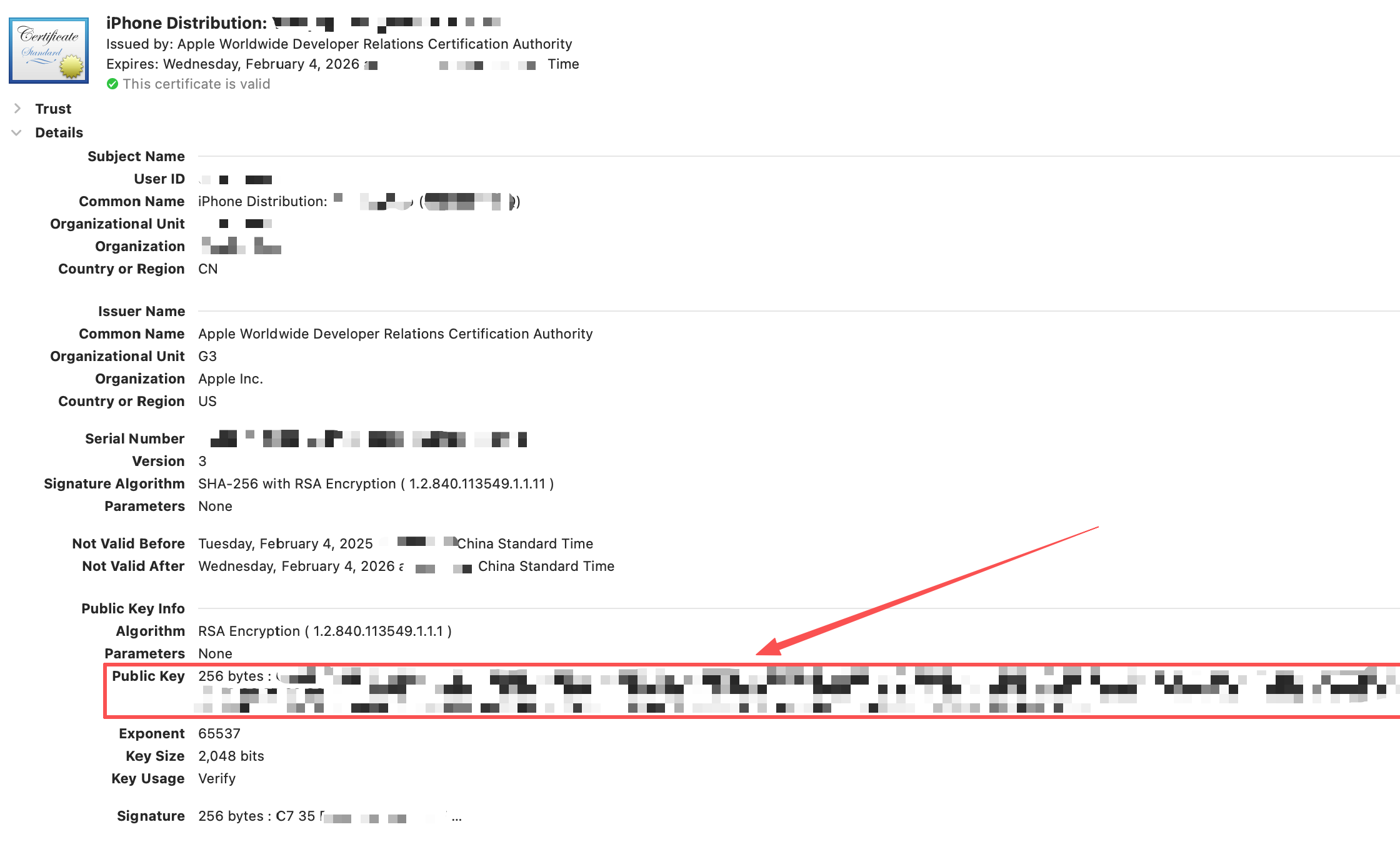
The Public Key and SHA-1 Fingerprint (Signature) are cryptographic credentials used by regulatory authorities to verify the authenticity of the app package.
Steps:
-
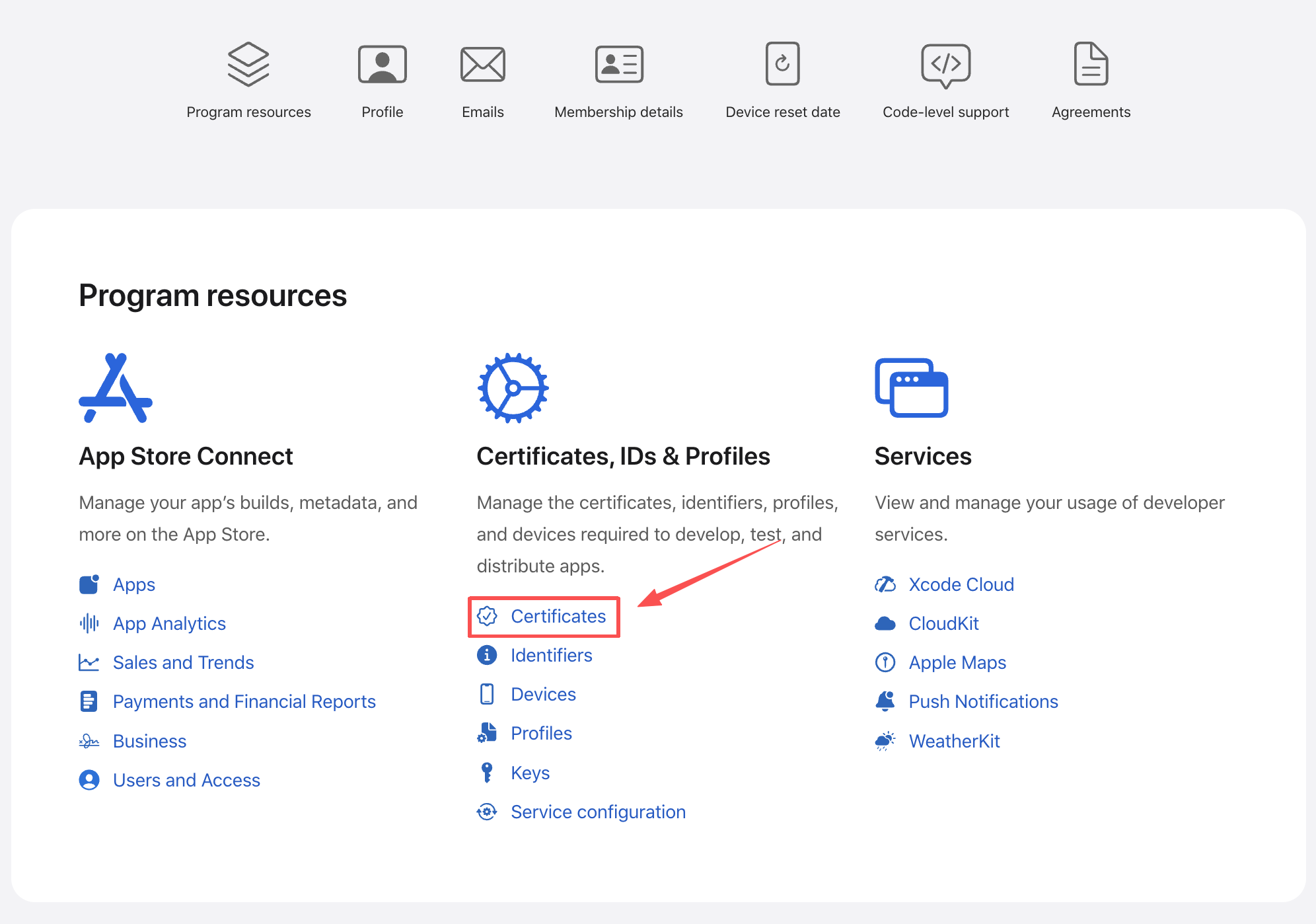
Log in to App Store Connect, then go to Certificates, Identifiers & Profiles and open the Certificates section.
-
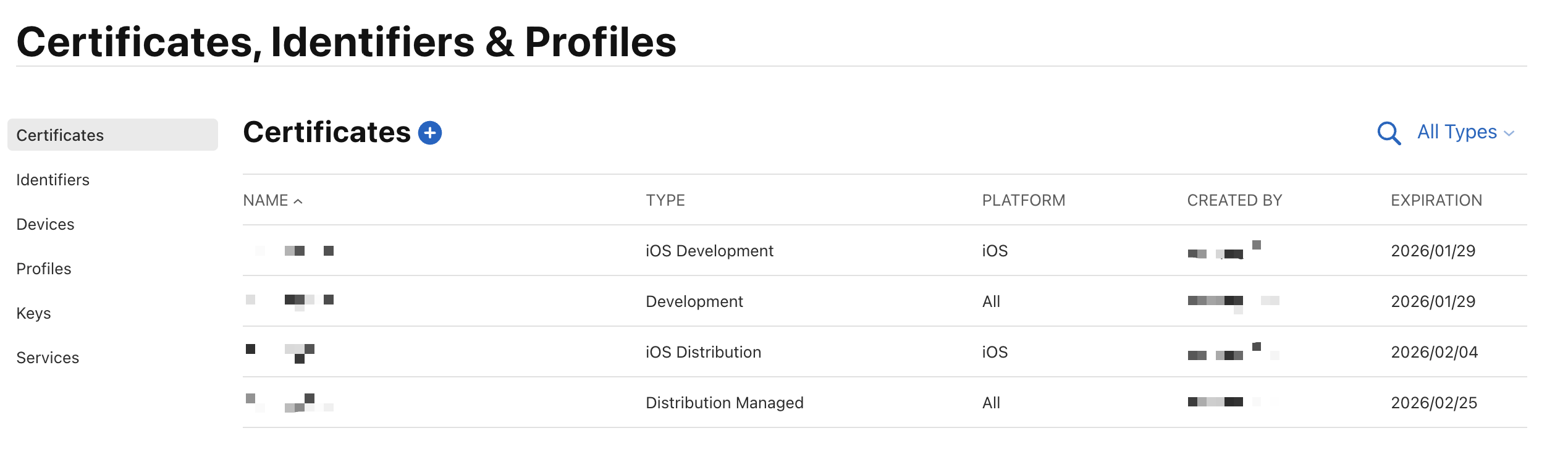
Select and download the certificate associated with your app.
-
Open the downloaded certificate and view its detailed information to obtain the Public Key and SHA1 Signature.
Compliance Notes & Best Practices
- Consistency Check: Ensure the Bundle ID is identical across the Apple Developer Portal, Xcode, and your MIIT filing application.
- Certificate Selection: If you have multiple certificates, ensure you extract info from the one used for the App Store Production build.
- Accuracy: Copy the SHA-1 Fingerprint and Public Key exactly as displayed. Any extra spaces or missing characters will result in a filing rejection.
- Security: While the Public Key is shareable, always keep your Private Keys secure.
- Validity: If a certificate is revoked or expires, you must update the filing information with the details of the new certificate to maintain compliance.
Contact Us
Feel free to contact us at [email protected] when you need any help.